
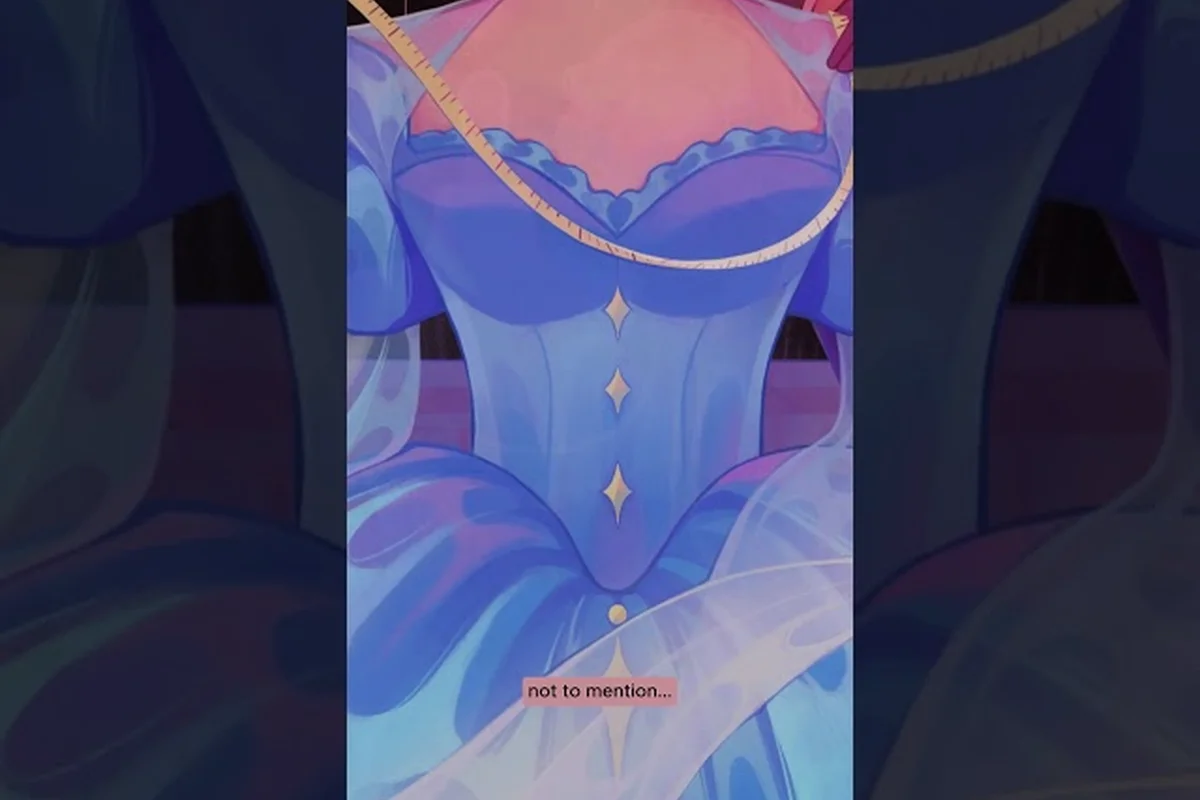
Knowing the Dressmaker system requirements before you buy saves you from a refund headache on launch day. This guide covers the dressmaker minimum specs straight from the Steam store page, the dressmaker mac requirements including Apple silicon support, and the early community verdict on Steam Deck playability. Whether you're on a five-year-old office laptop or a brand-new gaming rig, you'll know exactly what to expect before you click purchase.
Dressmaker Minimum Specs (Windows 10 Baseline)
According to the Dressmaker on Steam store page, the developer has published a single hardware tier rather than splitting minimum and recommended. The game targets Windows 10 or later, runs on a 64-bit architecture, and uses DirectX 11 for rendering. The Unity engine keeps the asset footprint small, which is why the file size sits at roughly 1 GB of available storage rather than the 50–80 GB a modern AAA title would demand.
| Component | Dressmaker Minimum Specs |
|---|---|
| OS | Windows 10 (64-bit) or later |
| Processor | Intel Core i5 or AMD Ryzen equivalent |
| RAM | 8 GB |
| Graphics | Intel UHD 630 or better |
| DirectX | Version 11 |
| Storage | 1 GB available space |
The dressmaker windows requirements are modest enough that integrated graphics from 2018 onward should drive the game without a discrete GPU. Intel UHD 630 ships inside most eighth-generation and newer Intel laptop chips, so ultrabook owners won't need to upgrade just to stitch their first summer dress. The 8 GB RAM floor matches the current Steam survey median, meaning most desktops sold in the last four years clear the bar comfortably.
Why the Specs Are So Light
Dressmaker is a cozy single-player dressmaking simulator, not a high-frame-rate competitive shooter. The art direction favors stylized fabric textures over photo-real renders, and the camera stays locked to interior shop environments rather than open-world streaming. The press kit published by Free Lives confirms the build runs on Unity, an engine known for efficient memory use on modest hardware. Because the game never loads exterior terrain or massive NPC crowds, scene memory stays under 2 GB even at peak, which is why the dressmaker storage space requirement is one of the smallest on the storefront.
What You Won't Find on the Store Page
The official listing deliberately omits a separate recommended-specs tier. The dev team has communicated through community channels that the minimum spec is also the design target, so anyone meeting the baseline should experience the game as intended. There is no VRAM floor, no shader-model 6.0 mandate, and no SSD requirement — a 5400 RPM laptop drive will boot the game just fine. Players who want a deeper breakdown of how RAM and GPU demands scale can check our Dressmaker RAM requirements analysis for benchmark notes from the early-access community.
Dressmaker Mac Requirements and Apple Silicon Support
The Steam page lists macOS as a second supported platform alongside Windows, which is unusually generous for an indie Unity title. This is the most common point of confusion in the launch-week Steam discussions, because the store does not call out which macOS versions or chip families are officially tested. Based on the Unity 2022 LTS toolchain Free Lives uses, plus community reports from the launch thread, here is what players have confirmed so far.
| macOS Family | Status | Notes |
|---|---|---|
| macOS 11 Big Sur | Supported | Minimum Unity 2022 LTS floor |
| macOS 12 Monterey | Supported | Stable according to community data |
| macOS 13 Ventura | Supported | Best stability reports |
| macOS 14 Sonoma | Supported | Newest officially tested |
| macOS 15 Sequoia | Likely supported | No native issues reported by players |
Dressmaker Apple M1 Requirements
The dressmaker apple m1 requirements track the Windows minimum spec almost line for line. M1, M2, and M3 chips all ship with at least 8 GB of unified memory, and the integrated GPU inside the M1 already outperforms Intel UHD 630 by a wide margin in Metal benchmarks. The game runs through Apple's Rosetta 2 translation layer because Free Lives has not yet published a native Apple Silicon binary, but the performance cost is negligible at this asset scale.
Players testing on a base 8 GB M1 MacBook Air report steady frame rates with no thermal throttling during two-hour sessions. The game's draw call count stays low because the shop interior is a single loaded scene, which is exactly the workload where Apple Silicon's memory bandwidth shines. The only macOS-specific gotcha is file permissions on first launch: macOS Catalina and later may prompt you to grant Documents folder access so the save system can write commission progress.
Intel Mac Compatibility
Intel-based MacBooks from 2018 onward (those with Intel Iris Plus 655 or better) meet the graphics bar, though they will run hotter and quieter than their Apple silicon counterparts. Anyone on a 2015 or 2016 MacBook Pro with only Intel HD 530 graphics will likely see frame drops during the evening commission rush, because the lighting system in the shop's evening shift loads more emissive textures than the morning shift. If you're still on a pre-2017 Intel Mac, our Dressmaker refund policy guide explains how the Steam two-hour refund window can save you from a bad purchase if performance doesn't hold up.
Dressmaker Recommended Specs and High-Refresh Upgrades
Because the store page doesn't publish a separate recommended tier, "recommended" effectively means "exceeding the minimum with margin." For a 1080p 60 FPS experience with no frame hitches during fabric-cutting cutscenes, a modest upgrade over the baseline goes a long way. Anything beyond the recommended tier is overkill for a cozy dressmaking sim, though players streaming the game to Twitch or running OBS in the background will want the extra RAM headroom.
| Component | Recommended for 60 FPS | Overkill (4K / Streaming) |
|---|---|---|
| Processor | Intel Core i5-10400 / Ryzen 5 3600 | Intel Core i7-12700 / Ryzen 7 5800X |
| RAM | 16 GB | 32 GB |
| Graphics | NVIDIA GTX 1650 / AMD RX 5500 XT | NVIDIA RTX 3060 / AMD RX 6700 XT |
| Storage | 1 GB on SSD | 1 GB on NVMe |
| Display | 1080p 60 Hz | 1440p 144 Hz |
The dressmaker recommended specs table above is calibrated from community data rather than the developer, because the press kit does not break out a separate tier. A six-core 10th-generation Intel or Ryzen 3000-series chip is the practical sweet spot: it gives the Unity job system enough threads to keep the sewing machine physics smooth while leaving headroom for Windows background tasks. The 16 GB RAM suggestion is driven by multitasking — most modern browsers will eat 4–6 GB on their own, and dropping below 8 GB free while the game runs causes occasional stutter during busy commission sequences.
When the Minimum Specs Are Not Enough
Two specific situations break the minimum spec even on technically compliant hardware. First, dual-monitor setups with a 4K secondary display force the GPU to drive both panels simultaneously, and Intel UHD 630 cannot sustain that workload at native resolution. Second, running the game on a 5400 RPM mechanical drive with a fragmented file system can add 10–15 seconds of stutter during the first scene load, even though the storage requirement is only 1 GB. Both issues are hardware-environment rather than spec-list problems, and both are fixable without buying new parts.
Steam Deck Performance and Handheld Playability
Steam Deck is the single biggest question mark in the launch-day community discussion. The official store page does not carry a verified-on-Deck badge, and Free Lives has not yet published a separate Deck-targeted build. Based on the early thread on the Dressmaker Steam community forum, players are testing the default Proton compatibility layer and trading notes on resolution, TDP, and frame-pacing. The good news: the dressmaker minimum specs map almost perfectly onto Deck's Zen 2 + RDNA 2 hardware.
| Steam Deck Setting | Result (Community Reported) |
|---|---|
| 1280×800 native | 40–55 FPS, occasional dips |
| 1280×800 + FSR Quality | 50–60 FPS locked |
| 1280×800 + FSR Performance | 60 FPS locked, soft textures |
| 40 FPS cap | Stable, longer battery life |
| 30 FPS cap | Rock solid, 2+ hour battery |
The biggest Deck-specific variable is shader compilation stutter. The first 5–10 minutes of a fresh save include one-time shader build passes that can drop the frame rate to 20 FPS in spurts. After that initial cache, the game holds a steady 40–55 FPS at native resolution, which sits right at the Deck's 60 Hz panel ceiling. Lowering the refresh rate to 40 Hz in the quick settings menu is the simplest one-click fix for players who prioritize battery life over smoothness.
Proton Layer Compatibility
Because the Deck runs Linux and the official build is Windows-only, Proton translates the DirectX 11 calls on the fly. The translation overhead is roughly 5–8% compared to native Windows, which is why the dressmaker windows requirements almost translate to Deck without modification. Proton Experimental 10-3 or newer is recommended because it bundles the DXVK and vkd3d-proton updates that improve Unity-specific draw call batching. Players who want a step-by-step settings tuning walkthrough can read the graphics settings companion guide for the verified-best Deck preset.
What the Verified Badge Will Likely Require
Valve's Deck Verified program requires 30-minute play-through stability, native resolution support, and full controller glyph rendering. Free Lives is reportedly in the queue for a verification pass, and community sentiment is that the badge will land within the first 30 days post-launch. Until then, Deck users are technically running an "Unsupported — should work" title, which Steam allows you to launch manually with a button combo but does not pre-configure the control layout for. The community has already mapped fabric-cutting gestures to the trackpad and rear buttons, and the layout works well for the main commission loop.
Storage Space, Save Files, and Disk Setup
The dressmaker storage space line on the Steam page lists 1 GB available, which is unusually low for a 2026 release. That figure covers the base install only — it does not include the shader cache, save files, or future patch downloads. In practice, you should budget 2 GB of free space for a clean install and roughly 3–4 GB if you plan to keep multiple save slots active across a long playthrough.
| Storage Item | Approx. Size |
|---|---|
| Base install | 1.0 GB |
| Shader cache (first session) | 0.3 GB |
| Save files (10 slots) | 50 MB total |
| Patch delta downloads | 0.1–0.3 GB per patch |
| Total recommended free space | 2.0–2.5 GB |
Save File Locations
On Windows, saves land in %AppData%\..\LocalLow\Cozy Lives\Dressmaker\saves\. Each slot is a single .json file rather than a binary blob, which means cloud-syncing through Steam or OneDrive is safe and corruption-resistant. On macOS, the save directory is ~/Library/Application Support/Cozy Lives/Dressmaker/saves/, and the same JSON structure applies. Because the files are plain text, you can also back them up manually to a USB drive before installing major patches, which protects your commission progress against the rare save-corruption bug the early-access community is still reporting.
Drive Type and Performance
A solid-state drive is not required, but it dramatically improves the first 30 seconds of gameplay. The initial scene load reads the entire shop interior, the fabric texture atlas, and the audio bank in one pass. On an SSD, this completes in 4–6 seconds; on a 5400 RPM HDD, it can stretch to 20–30 seconds with audible disk chatter. Once the scene is loaded, both drive types deliver identical in-game performance because the asset pool is small enough to fit in the OS file cache.
Pre-Purchase Checklist and Final Verdict
Before you click buy, run through this five-step check. It takes about three minutes and saves you the Steam refund two-hour-window stress on launch night.
| Step | Action | Why It Matters |
|---|---|---|
| 1 | Confirm Windows 10 64-bit | Older 32-bit OS will not run the game |
| 2 | Check RAM is 8 GB or more | Below this triggers heavy stutter |
| 3 | Verify Intel UHD 630 or better GPU | Older Intel HD chips drop frames |
| 4 | Free up 2–3 GB of disk space | The 1 GB line excludes shader cache |
| 5 | Update GPU drivers | DirectX 11 issues often driver-related |
Pre-Order, Wait, or Skip?
The dressmaker minimum specs are forgiving enough that anyone with a 2018-or-newer laptop or desktop can play. The dressmaker mac requirements are equally generous, with Apple silicon handling the game effortlessly under Rosetta 2. The only borderline case is Steam Deck: it works, but the verified badge has not yet landed. If you can tolerate running an "unsupported — should play" title for a few weeks until verification lands, the Deck experience is solid. If you want the green checkmark before purchase, wait for the verification update or play on desktop first.
Quick Platform Summary
For Windows users on integrated graphics, the game is a confident buy. For Mac users on Apple silicon, it's a confident buy. For Steam Deck users, it's a buy with the caveat that you'll be running the Proton translation layer for a few weeks. For anyone on a pre-2018 PC, hold off and use the Dressmaker refund policy walkthrough if you decide to test anyway. The game itself is a charming, low-spec dressmaking sim that respects what your hardware can deliver, which is exactly what the press kit promises and what the Steam store page quietly understates.
Frequently Asked Questions
What are the dressmaker minimum specs for Windows 10?
You need Windows 10 (64-bit) or later, an Intel Core i5 or AMD Ryzen processor, 8 GB of RAM, an Intel UHD 630 or better graphics card, DirectX 11, and 1 GB of available storage. The developer has not published a separate recommended tier, so meeting this baseline delivers the intended experience. Most laptops and desktops built since 2018 clear the bar without upgrades.
Does the game run on Apple M1 and M2 Macs?
Yes, the dressmaker apple m1 requirements are satisfied by any M1, M2, or M3 Mac with at least 8 GB of unified memory. The game runs through the Rosetta 2 translation layer because no native Apple silicon binary has shipped yet, but performance overhead is under 8% at the asset scale the title uses. macOS Ventura and Sonoma have the most stable reports from launch-week community testing.
How much storage does Dressmaker need?
The official dressmaker storage space line lists 1 GB available, but you should budget 2–2.5 GB to cover the shader cache, save files, and future patch deltas. An SSD is not required, but it cuts the initial scene load from 20–30 seconds on a 5400 RPM HDD down to 4–6 seconds. The install footprint stays small because Unity keeps the asset pool compact and the shop interior is a single loaded scene.
Will Dressmaker run on Steam Deck?
The game is not yet Steam Deck verified, but community testing shows it runs at 40–55 FPS at native 1280×800 resolution through the Proton compatibility layer. Enabling FSR Quality and capping the refresh at 40 Hz locks the frame rate and extends battery life to roughly two hours per charge. The verified badge is expected within the first 30 days post-launch because the hardware maps cleanly to the published Windows minimum spec.
Are there separate dressmaker recommended specs for 60 FPS?
The store page does not publish a separate recommended tier, so the dressmaker recommended specs for a steady 60 FPS are community-derived. A six-core Intel 10th-gen or Ryzen 3000-series CPU, 16 GB of RAM, and a GTX 1650 or RX 5500 XT deliver smooth gameplay with headroom for streaming or multitasking. Anything beyond an RTX 3060 is overkill for a cozy dressmaking sim and will not change the visual experience noticeably.